Updated May 16, 2026
Commercial stock filtering
Filter routes by commercially available starting materials.
Commercial stock filtering restricts retrosynthesis results to routes that start from commercially available materials — helpful when you want routes you can actually execute without custom synthesis of starting materials.
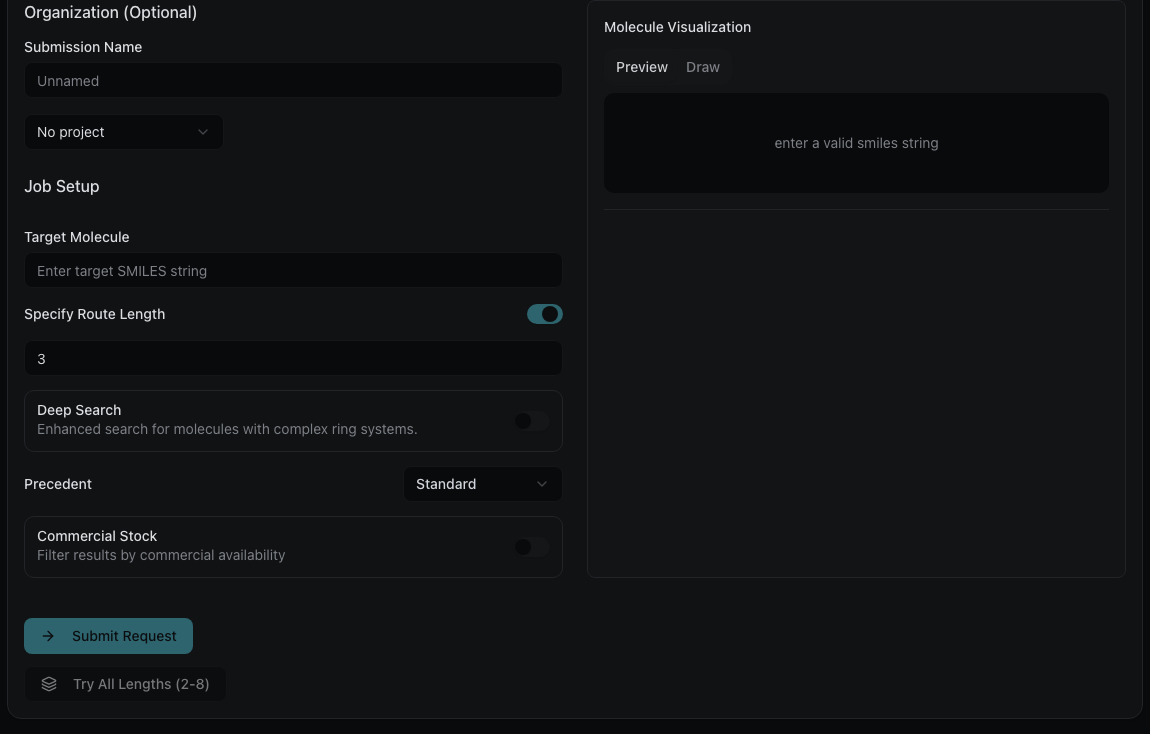
How to enable
- In the Retrosynthesis form, toggle Commercial Stock.
- Select one or more vendors (e.g., Enamine, Buyables).
- Submit the job. The model will prefer routes that use starting materials available from the selected vendors.
How it appears in results
Vendor availability is shown on every molecule in the route tree — target, intermediates, and starting materials — with badges indicating how many vendors carry each compound. Commercial-stock filtering is a preference during search; vendor badges separately reflect PubChem-tracked availability across all molecules in the results.
What to read next
- Vendor availability — the PubChem lookup that powers vendor badges.
- Chemical catalog imports — upload your own inventory for private vendor filtering.